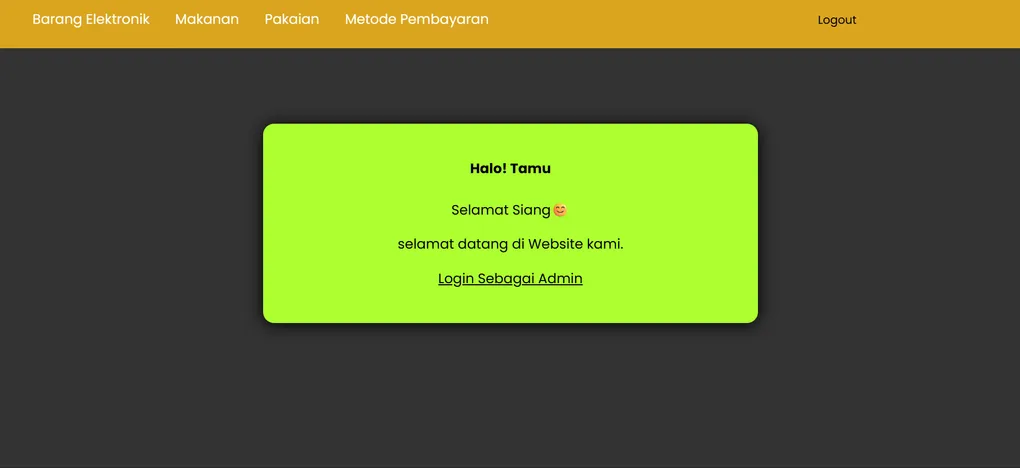
Store Catalog
This my project build Store Catalog
# Katalog Toko — PHP Store Catalog System

A simple store catalog system built using native PHP.
This project provides product listings, user authentication, admin dashboard, and basic store navigation.
🚀 Features
🔐 Authentication
- User login
- User registration
- Logout system
- Error handling for invalid credentials
🛒 Product Catalog
- Electronic products
- Food products
- Fashion products
- Payment method page
🧭 Navigation & UI
- Dynamic navbar
- Footer
- Homepage layout
- Basic CSS styling inside
Design/Assets/halaman.css
🛠 Admin Panel
- Admin login & logout
- User activity monitoring
- Admin dashboard interface
📂 Project Structure
Projek/
│── Database/
│   ├── admin.php
│   ├── login.php
│   ├── register.php
│
│── Koneksi/
│   ├── admin_logout.php
│   ├── connect.php
│   ├── gagal admin.php
│   ├── gagal.php
│   ├── logout.php
│
│── View/
│   ├── Admin/
│   │   ├── admin.php
│   │   ├── aktivitas_user.php
│   │   ├── dashboard_admin.php
│   │
│   ├── Design/<br>
│       ├── Assets/
│       │   └── halaman.css
│
│── Produk/
│   ├── barang elektronik.php
│   ├── makanan.php
│   ├── metode pembayaran.php
│   ├── pakaian.php
│
│── Navbar.php
│── footer.php
│── form register.php
│── halaman_utama.php
│── index.php
│── README.md
🛠️ Tech Stack
- PHP Native
- MySQL / MariaDB
- HTML & CSS
- XAMPP (Local Development)
- VS Code
📌 Requirements
- PHP 7.4 or above
- MySQL database
- XAMPP or equivalent local server
- Web browser
- Git (optional)
⚙️ Installation Guide
1. Clone the repository
git clone https://github.com/BagasHtml/Katalog-Toko-New.git
2. Move the folder into XAMPP’s htdocs
xampp/htdocs/3. Import database (if included)
Use phpMyAdmin → import .sql file.
4. Start Apache & MySQL
From XAMPP Control Panel.
5. Run the project
Open in browser:
http://localhost/Katalog-Toko-New/📬 Contributing
Contributions, issues, and feature requests are welcome. Feel free to create a pull request.
⭐ Support
If this project helps you, please give it a ⭐ on GitHub!